A better way to sort albums
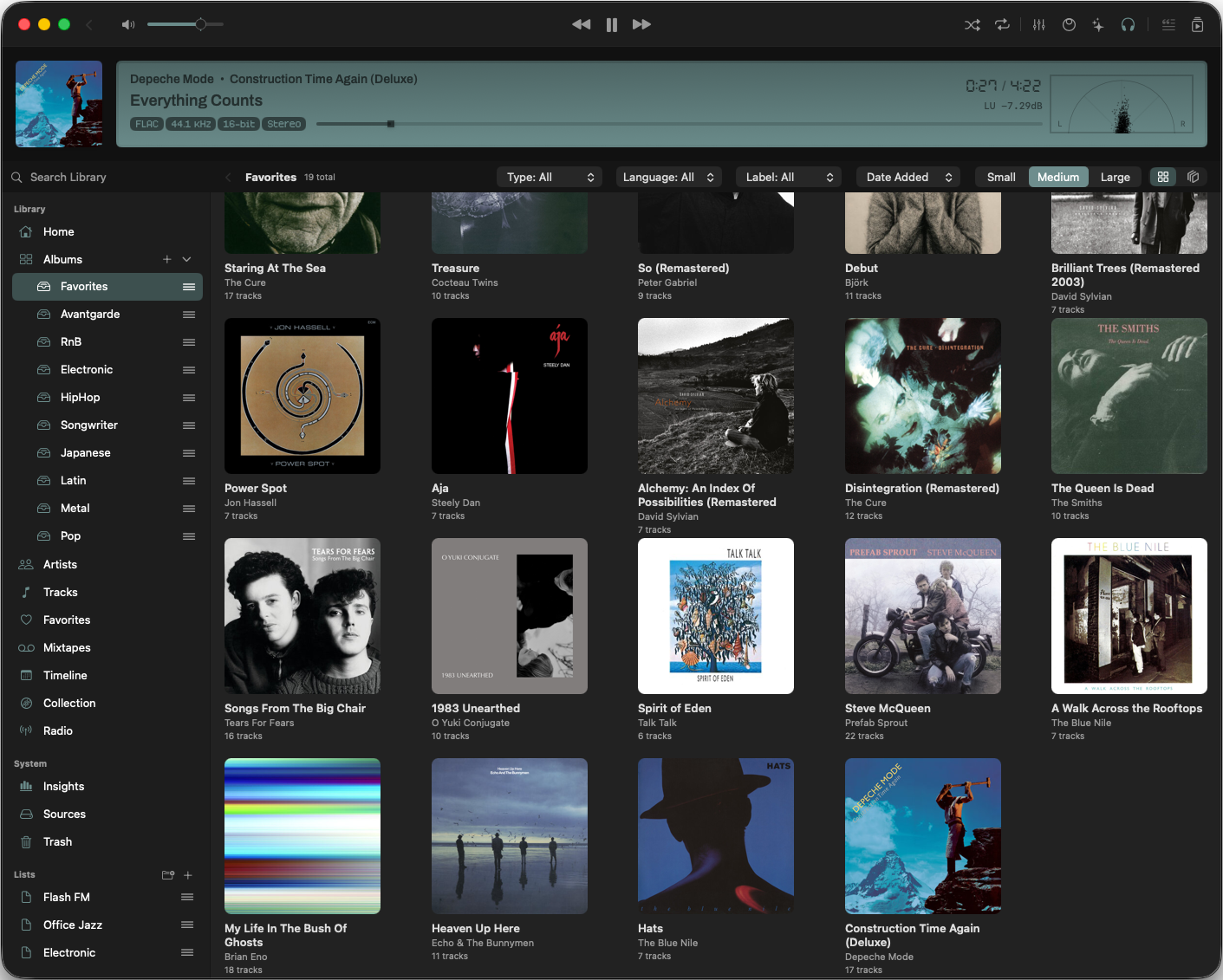
I just added Crates to the sidebar, and this is one of those features that immediately makes a personal library feel more personal. From the Albums section, you can hit the plus button and create your own categories. Then you can drag and drop albums into them and build a structure that matches how you think about your collection.
It is basically a digital record cabinet with your own compartments. If you want a crate for favorites, a mood-based shelf, or a weird little corner for a specific sound, you can make that happen without fighting the app.
Flexible, but not in the annoying way
The sidebar can be collapsed if it starts taking up too much space, and you can move this area around or disable it entirely from Settings. I wanted this to feel like part of the library workflow, not a fixed layout you have to accept.
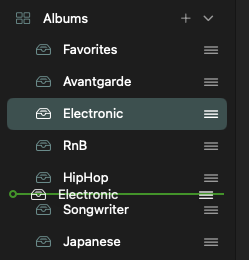
Inside each Crate list, sorting is editable at any time with drag and drop. You can also delete a Crate completely when you no longer need it. And because Crates only link to albums instead of moving them, the whole thing stays non-destructive. Your library is safe. Only the organization changes.
Same album view, same filters
Opening a single Crate gives you the same album grid as the main Albums view, including all filters. That means you do not lose any of the tools you already rely on. You are just narrowing the collection through a system you designed yourself.
Why this matters
For me, this is a simple feature with a big effect. Music collectors rarely think in one flat list. We think in shelves, stacks, sections, and labels. Crates finally let Zenteek reflect that without making the interface feel complicated.
It is a small addition on paper, but it makes the whole library feel much easier to live with.